


You want your most valuable pages on your new website to be indexed by search engines such as Google and Bing, but you wouldn’t want every page/folder to be crawled.
Robots.txt files can help!
Robots.txt files help webmasters control how search engines crawlers interact with their site. You can tell search engine crawlers what parts of your website they can access and what parts can only be accessed by certain sections.
Trying to code these can be confusing for someone not familiar with Technical SEO.
However, with our Robots.txt Generator, you can easily create and customise your robots.txt file.
In this article, we will explain what robots.txt is, why it is important for SEO, how it works and how to create one using Zaptions.
What Is a Robots.txt File?
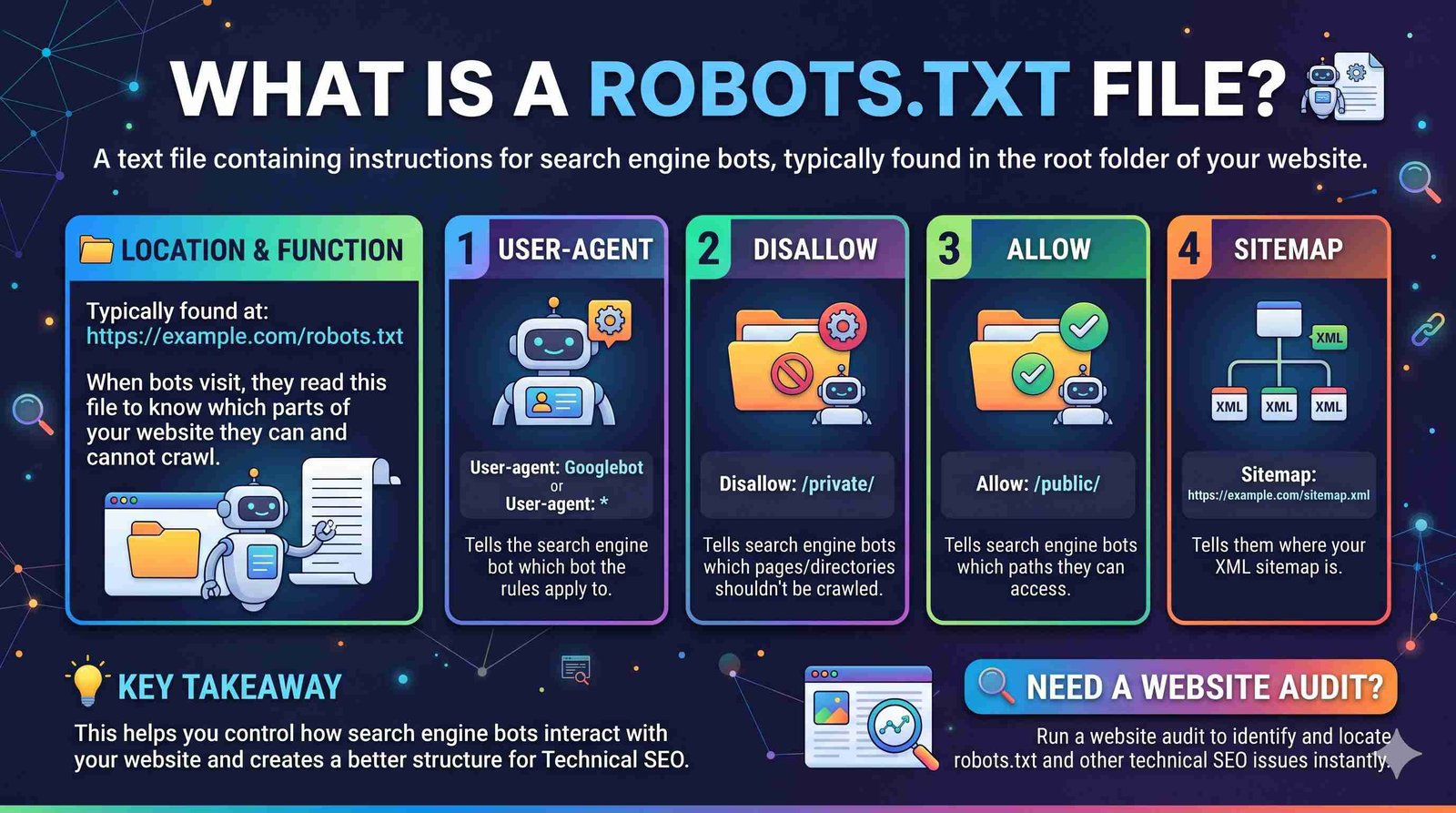
A robots.txt file is a text file containing instructions for search engine bots.
It will typically be found in the root folder of your website.
An example would be:
https://example.com/robots.txt
When a search engine bot comes to visit your website, if they can support robots.txt, they can look at this file and know which parts of your website they can/cannot crawl.
Generally robots.txt files will contain the following:
- User-agent: Tells the search engine bot which bot the rules apply to.
- Disallow: Tells search engine bots which pages/directories shouldn’t be crawled.
- Allow: Tells search engine bots which paths they can access.
- Sitemap: Tells them where your XML sitemap is.
This helps you control how search engine bots interact with your website and creates a better structure for Technical SEO.
Why Is Robots.txt Important for SEO?
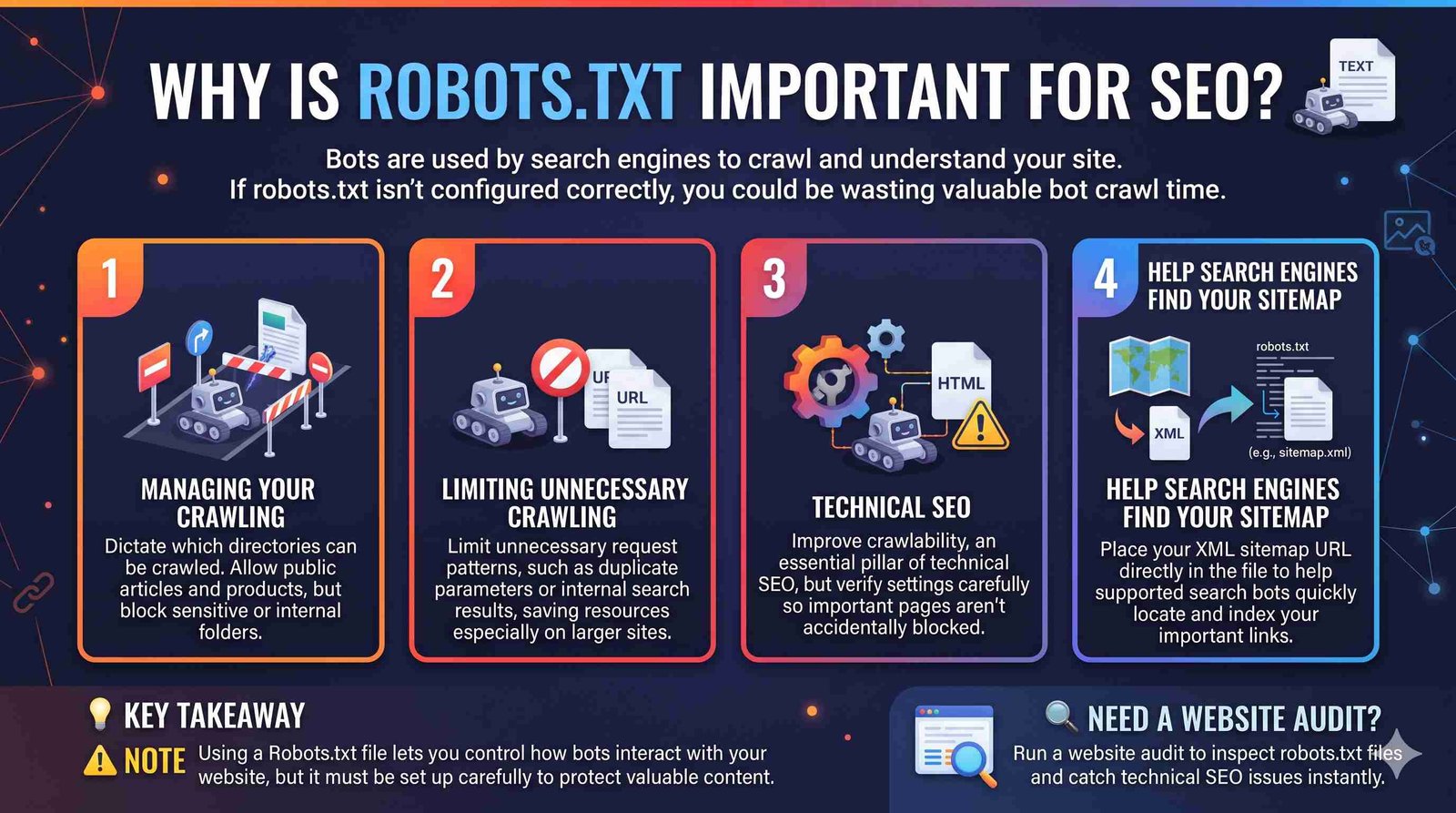
Bots are used by search engines to crawl and understand content on your site:
If your Robots.txt file isn’t configured correctly then you could be wasting valuable bot crawling time.
Having a correctly configured Robots.txt file can help you by:
1. Managing your crawling
You can dictate which directories or pages can be crawled by crawlers of compatible search engines.
For example, you may want to allow crawling of your public articles and products but block some internal directories.
2. Limiting unnecessary crawling
Sometimes websites will have duplicate patterns in their URLs or internal search pages that aren’t very useful for crawling.
Using the correct Robots.txt settings can help limit unnecessary requests from crawlers, especially on larger websites.
3. Technical SEO
Crawlability is an important part of technical SEO.
Using a Robots.txt file can help you communicate how you want things to be crawled but needs to be set up carefully to ensure important content isn’t blocked.
4. Help search engines find your sitemap
By adding your XML sitemap URL into your Robots.txt file.
This helps crawlers supported by your site to find your sitemap which contains lots of important URLs.
Zaptions Robots.txt Generator

The Zaptions Robots.txt Generator is an easy way to create and manage your robots.txt rules.
Rather than trying to write your own crawling rules you can choose which options you’d like to use and apply page restrictions to create your robots.txt.
This tool is great for those new to robots.txt, web admins, developers and SEOs who want to have more control.
Key Features of the Zaptions Robots.txt Generator
1. User-Agent Group(s)
Apply rules to all search engine bots, or create rules for specific crawlers.
Use the wildcard (*) to apply rules to all compatible bots, or apply the rules to a specific user-agent.
2. Allow/Disallow
Apply allow/disallow rules to specific paths and directories.
This will help you determine what areas of your site you would like to allow crawlers to access.
3. Multiple User Agent Groups
Create multiple user agent groups for crawlers requiring different rules.
4. Sitemap URL Management
Add one or more sitemap URLs.
This will allow supported search engines to find your XML sitemaps.
5. Crawl-Delay Option
If using crawlers that support this option then enter your crawl-delay.
Note: Googlebot does not support robots.txt crawl-delay.
6. Quick Templates
This tool includes useful templates such as:
- Allow All
- Block All
- WordPress
- Laravel
- Block AI Bots
These templates provide quick configurations for common rules. It’s important to always check your rules are correct before publishing, especially when using strict templates.
7. Live Robots.txt Preview
Preview your robots.txt.
This will help you check your rules.
8. Copy, Download, and Validate
Copy, download and validate your robots.txt.
Using this tool will make it easier to create rules for your robots.txt dependant on your website type.
How to Create a Robots.txt File Using Zaptions
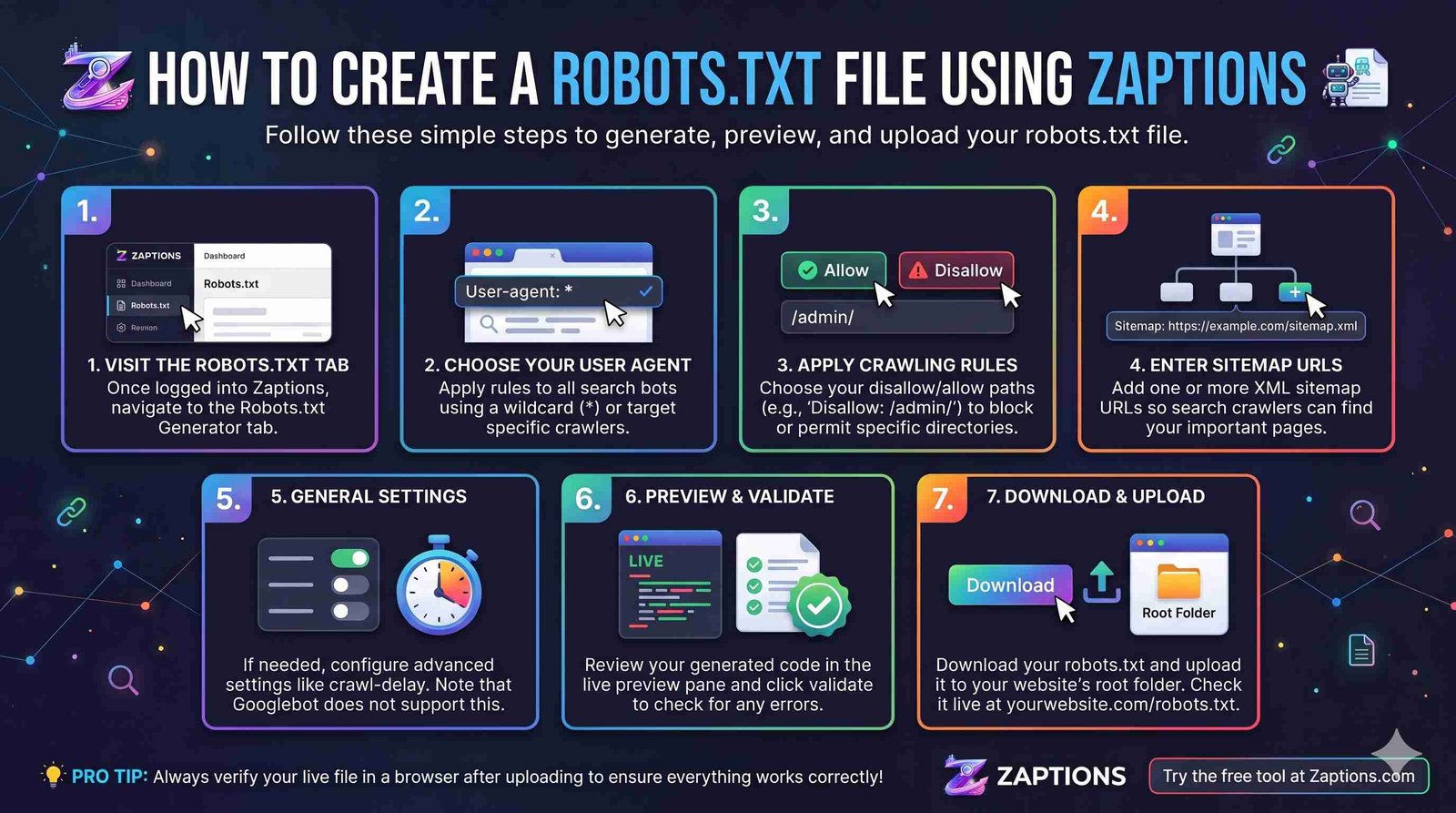
To create a robots.txt file in Zaptions follow these simple steps.
Step 1: Visit Zaptions
Once logged into Zaptions, visit the Robots.txt tab
You will then see a screen containing some options to set your user agent, crawling instructions, sitemaps, general settings and preview of the robots.txt.
Step 2: Choose Your User Agent
Choose whether you would like to apply your instructions to all bots or just specific crawlers.
If you’re creating general instructions, you can leave it blank with:
User-agent: *
The means all crawlers will follow your robots.txt.
Step 3: Apply Crawling Instructions
Choose whether you want to allow or disallow a certain path.
For example, if you wanted to stop crawlers that are compatible with your site from visiting your admin folder:
Disallow: /admin/
Ensure this is the correct path/directory on your website.
Step 4: Enter Your Sitemap URL
Enter your XML sitemap URL.
An example may be:
https://example.com/sitemap.xml
If you have multiple sitemaps on your website you can enter multiple sitemaps.
Step 5: General Settings
If required, apply any crawl-delay or host settings.
These aren’t always used so ensure they’re what you need for your search engine.
Step 6: Preview & Validate
Preview the instructions you’ve applied.
Click validate to check the file. It’s also useful to check how important search engines will read your instructions.
Step 7: Download & Upload
Once happy with your settings, download your robots.txt.
Upload the file to your websites root directory so it can be found at:
https://yourwebsite.com/robots.txt
Open this in your browser to confirm it’s been uploaded.
Example of a Robots.txt File
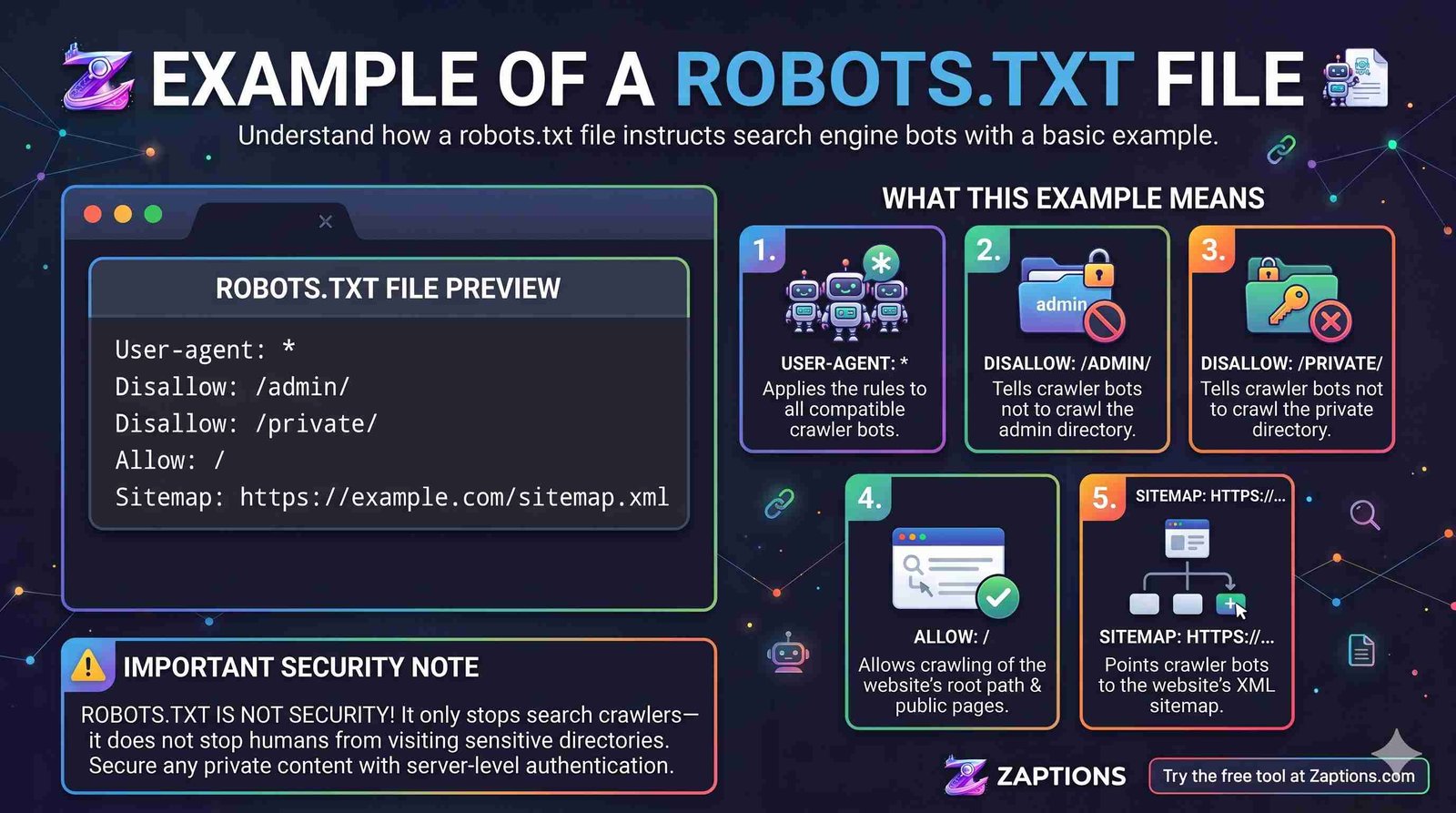
A basic robots.txt might look like this:
User-agent: * Disallow: /admin/ Disallow: /private/ Allow: / Sitemap: https://example.com/sitemap.xml
In this example:
- User-agent: Will apply the rules to all compatible crawlers.
- Disallow: /admin/ Will tell crawlers not to crawl the admin directory.
- Disallow: /private/ Will tell crawlers not to crawl the private directory.
- Allow: / Will allow crawling of the root path of the site, based on the most specific match.
- Sitemap will tell crawlers where to find the XML sitemap for the website.
Note: robots.txt should never be used as a way to secure directories. While it will stop crawlers from crawling them, it won’t actually stop people from seeing the sensitive information. Any sensitive content should be protected by proper authentication and security at a server level.
Common Robots.txt Mistakes to Avoid
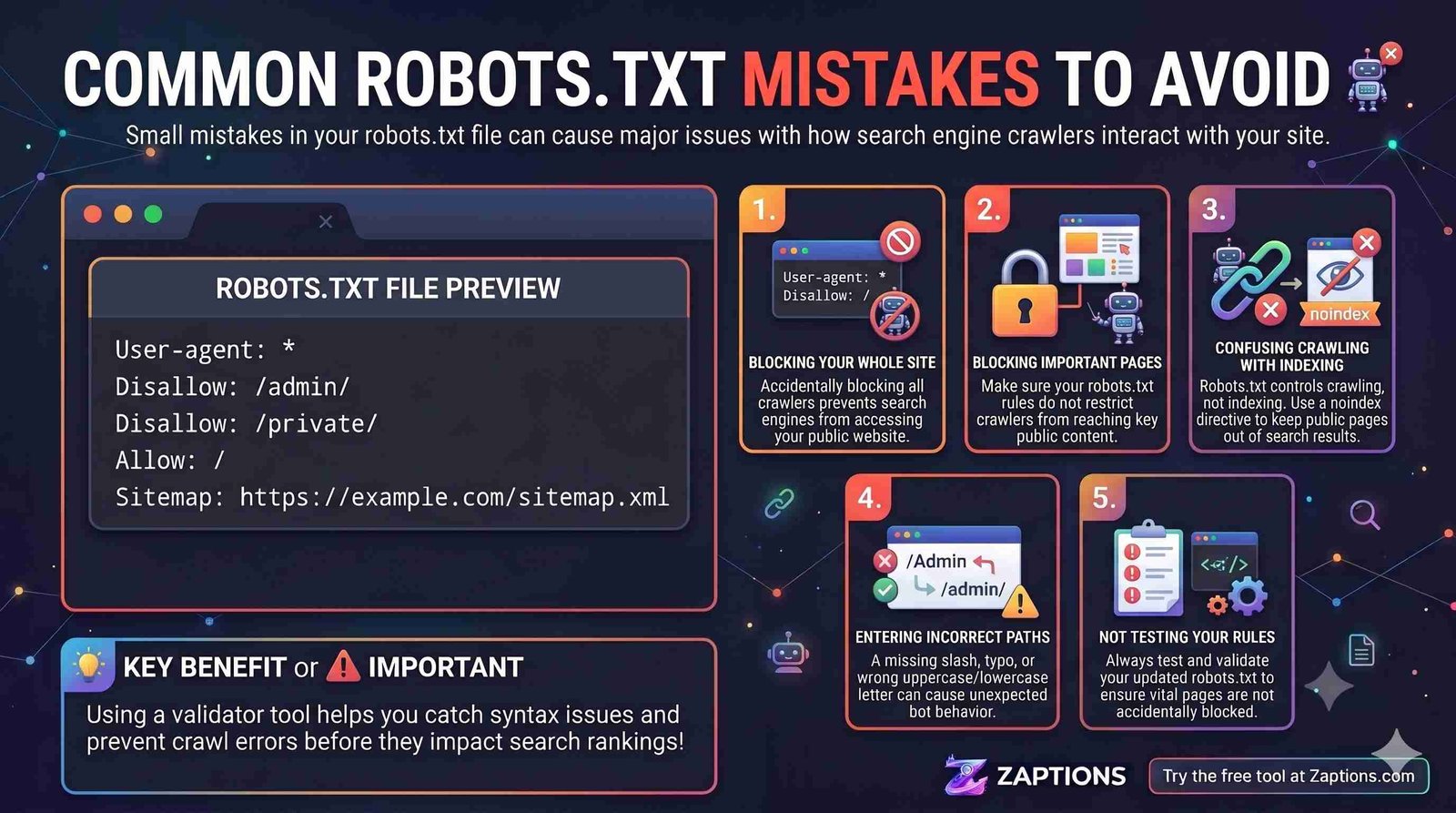
Small mistakes in your robots.txt file can cause issues with how crawlers interact with your site.
Blocking your whole website
The below robots.txt will block crawling your website:
User-agent: * Disallow: /
While this may be useful in some cases, it can cause issues if you have a public website that should be crawled.
Blocking important pages
Don’t accidentally stop crawlers from crawling important public pages.
Robots.txt is for controlling crawling
While you can use robots.txt to control crawling, it doesn’t guarantee that the crawler won’t index the URL.
Crawlers may still find and show your blocked URL due to links from other websites.
If you want to stop a public page from being indexed then consider using an appropriate noindex directive. This will allow the crawler to access the page but tells it not to index.
Entering Incorrect Paths
A missing slash, incorrect directory name or uppercase/lowercase letter can cause crawling to behave unexpectedly.
Double check all paths are correct.
Not testing your rules
Once you’ve updated your robots.txt file make sure you’re using the correct one and that important pages haven’t been accidentally blocked.
Who Should Use a Robots.txt Generator?

Robots.txt generators can be used by:
Website Owners
Help manage crawler directives quickly.
SEO Professionals
Create and review crawl setups.
Web Developers
Set up crawling rules for websites using various frameworks.
Bloggers
Keep blogs open whilst preventing crawlers from accessing unnecessary areas of your site.
Digital Agencies
Setup Robots.txt for clients websites.
Why Use Zaptions for Robots.txt Generator?
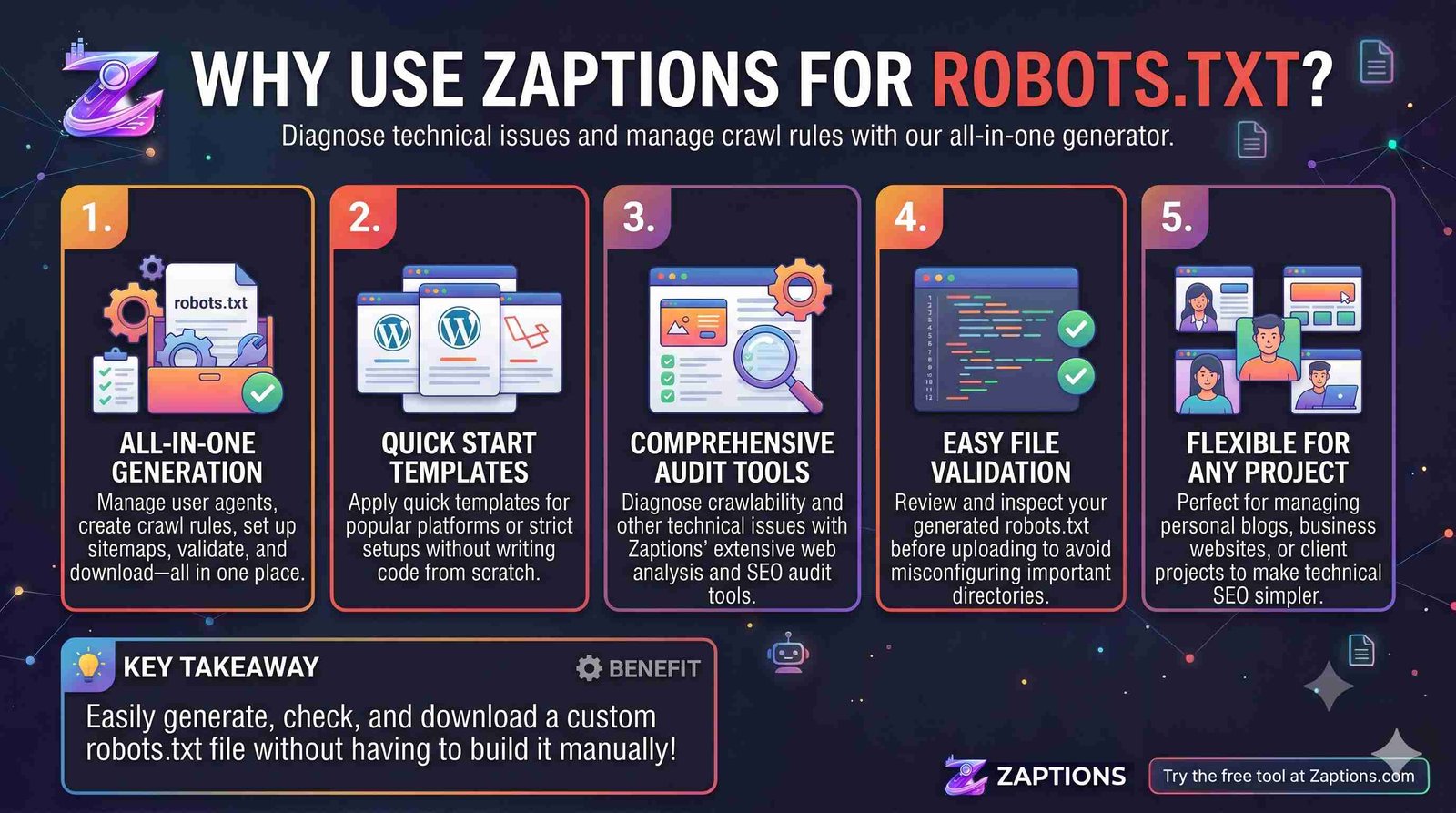
Zaptions offer a range of SEO audit and web analysis tools that can help diagnose technical issues.
The Robots.txt Generator can be used alongside our tools to create crawl rules.
The tool allows you to manage user agents, create crawl rules, set up sitemaps, use quick templates, validate and download your robots.txt all in one place.
This means you can easily generate a robots.txt without having to build it manually. With the ability to review what has been created.
Whether you’re managing a personal blog, business website or client project Zaptions can help make this part of your technical SEO easier.
Frequently Asked Questions
1. What is a robots.txt Generator?
A robots.txt generator will help you generate a text file that instructs search engine bots which areas of your website they are allowed to crawl.
2. Do I need a robots.txt file?
This is not required for all websites. However, if there aren't any crawling restrictions you want to set then search engines will typically crawl public pages.
3. Can robots.txt improve my Google rankings?
A robots.txt file won't improve your Google rankings directly. However, having a correct robots.txt file will help with technical SEO.
4. Where do I upload my robots.txt file?
You should upload your file to the root directory of your website, for example https://example.com/robots.txt.
5. Can I include more than 1 Sitemap in my robots.txt file?
Yes you can include several Sitemap directives.
6. Can I stop a page showing in Google using robots.txt?
No. A blocked URL may still appear in search results if Google has found it from another source. If you want to stop a page showing in search results then use appropriate indexing controls.
7. Can I create a robots.txt file without any coding?
Yes. Our Robots.txt Generator provides a form for you to easily create your robots.txt file. You can view a preview of your file and download.
Conclusion
Having a correctly set up robots.txt file is a great addition to your technical website management.
It allows you to tell search engines what to crawl, helps them find your sitemap and lets website owners restrict certain paths.
Our Robots.txt Generator makes it easy for you to create a robots.txt file. It has easy to use controls and allows you to customise your rules. There are also some quick templates available.
You can easily create and review all your instructions.
Ready To Create Your Robots.txt File?
Go to Zaptions, and click on the Robots.txt Generator tool in your dashboard.
Latest Posts
-
Website SEO Checklist: 10 Essential Optimizations
Nov 24, 2026 -

-

Free Broken Link Checker Guide with Zaptions
Nov 03, 2026 -

How SERP Optimization Improves Google Rankings
Oct 29, 2026 -
How Backlinks Help Improve SEO Rankings
Oct 27, 2026